
Help Center
Welcome to the YourGuide Help Center. This section is designed to feel practical from the first click. You can start with onboarding, move into the editor, and then drill into the Hosted controls when you are ready to publish a guest-facing URL.
Start here
If you are new to the platform, this is the recommended reading order:
- Review the onboarding and purchase flow below.
- Open Account Settings to understand profile updates, billing, and secure account deletion.
- Continue into the Print Tier articles to learn the editor and final export flow.
- Continue into the Hosted Tier articles if you need the guest PIN, locked URL, or upgrade path.
From sign-up to purchase
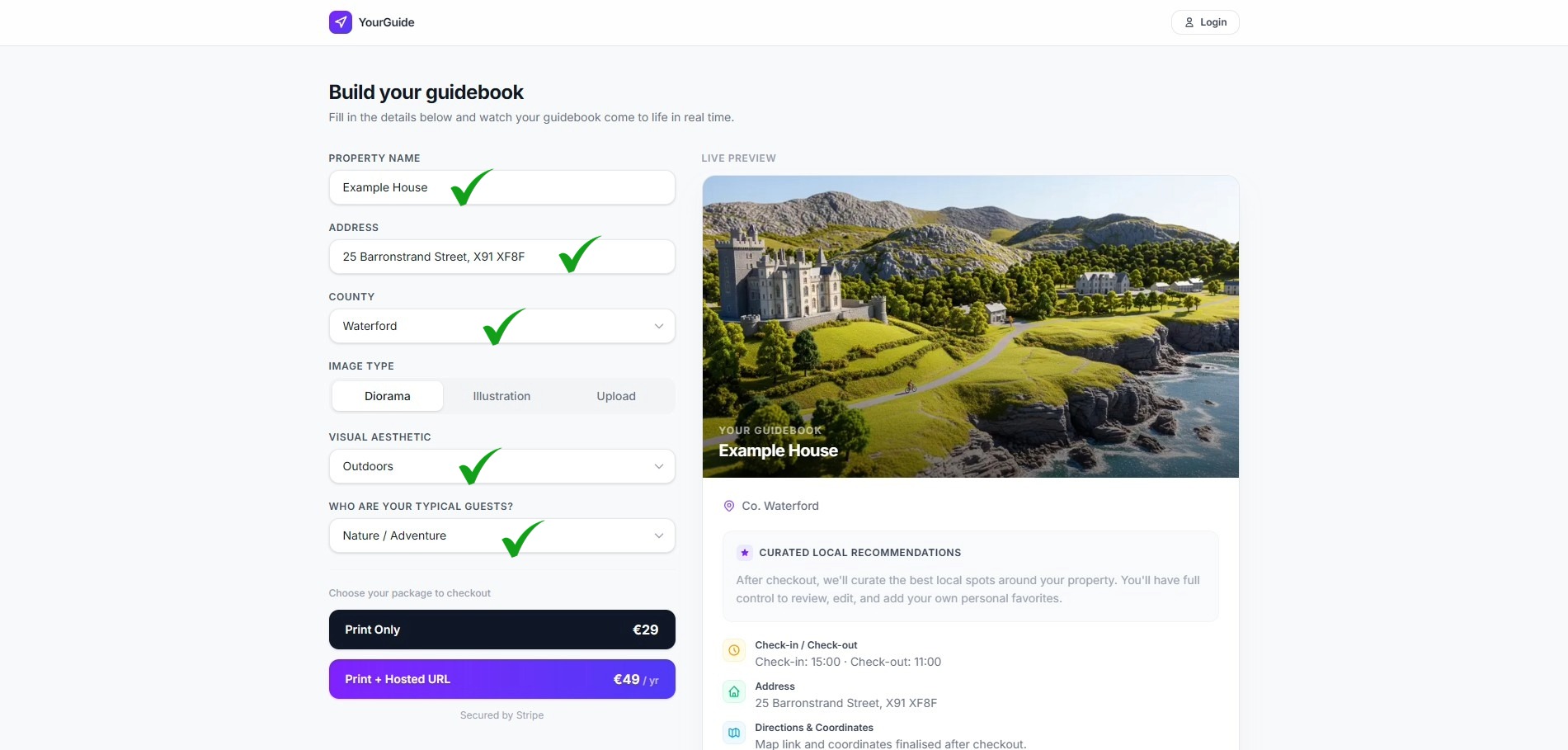
YourGuide is designed to keep the first purchase path concise. You choose your tier, provide the property details, and move through Stripe checkout before returning to the dashboard and editor.
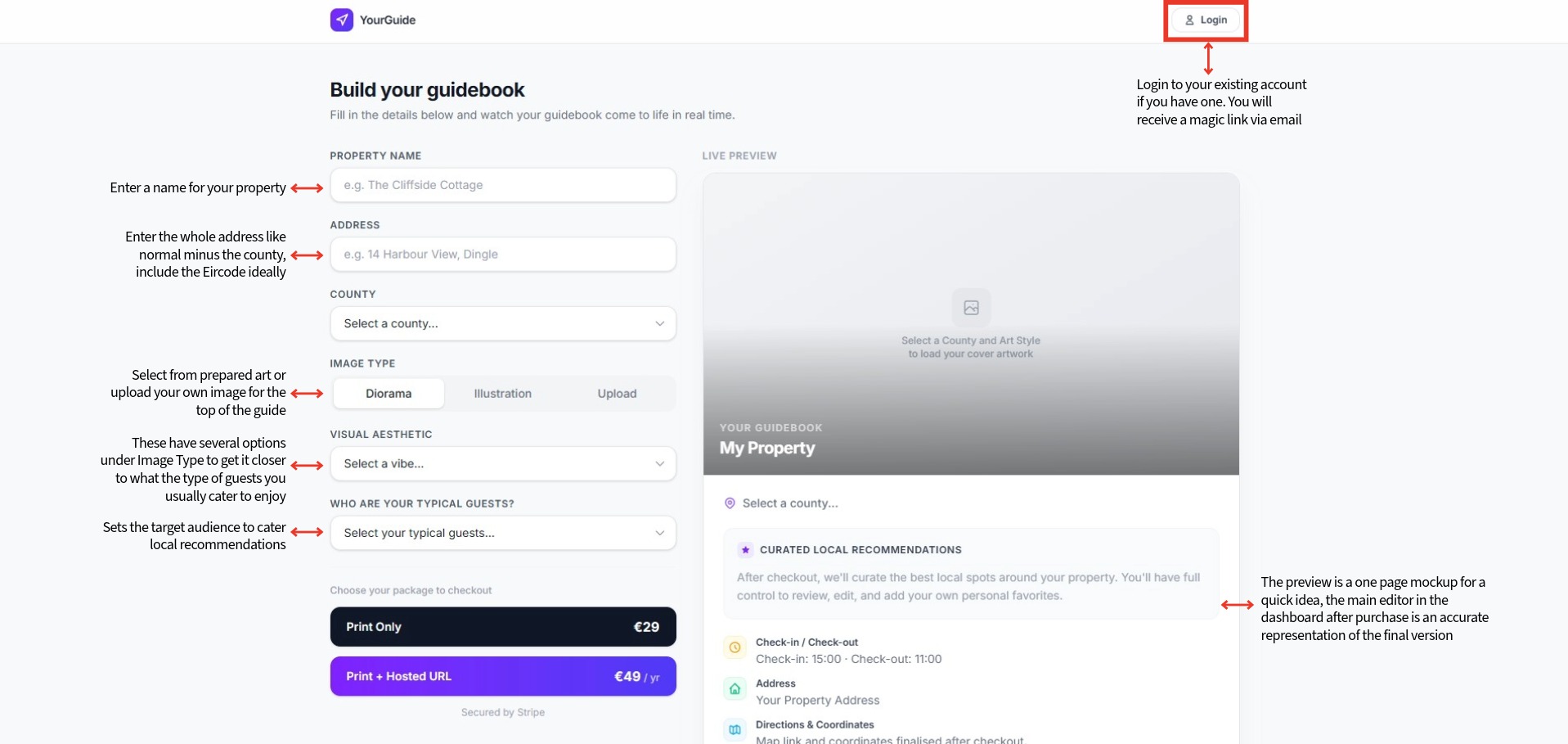
The purchase screen summarises the selected package before payment. This is where you confirm the property information, choose the visual treatment, and proceed to checkout.
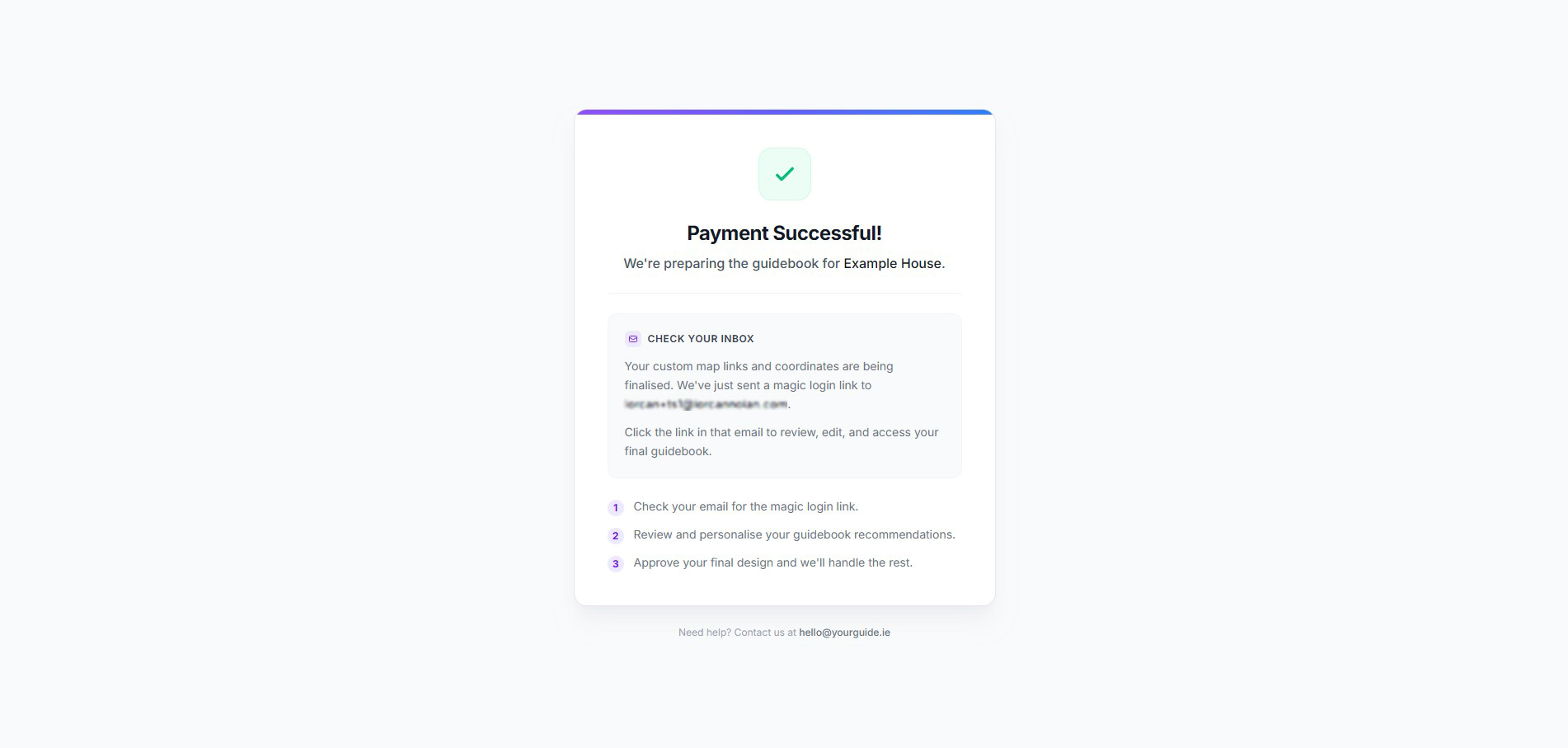
Once payment completes, the success screen confirms that your guidebook is being prepared and points you toward the next step in the workflow.
What you can create
YourGuide supports two delivery models:
- Print Tier - a polished A4 guidebook with QR codes for practical guest actions.
- Hosted Tier - everything in Print, plus a live guest-facing URL, PIN protection for sensitive details, and quick dashboard controls.