
Help Center
The Print dashboard is the operational home for your guidebooks. It shows which guidebooks are in progress, which ones are ready, and which actions are available for each card.
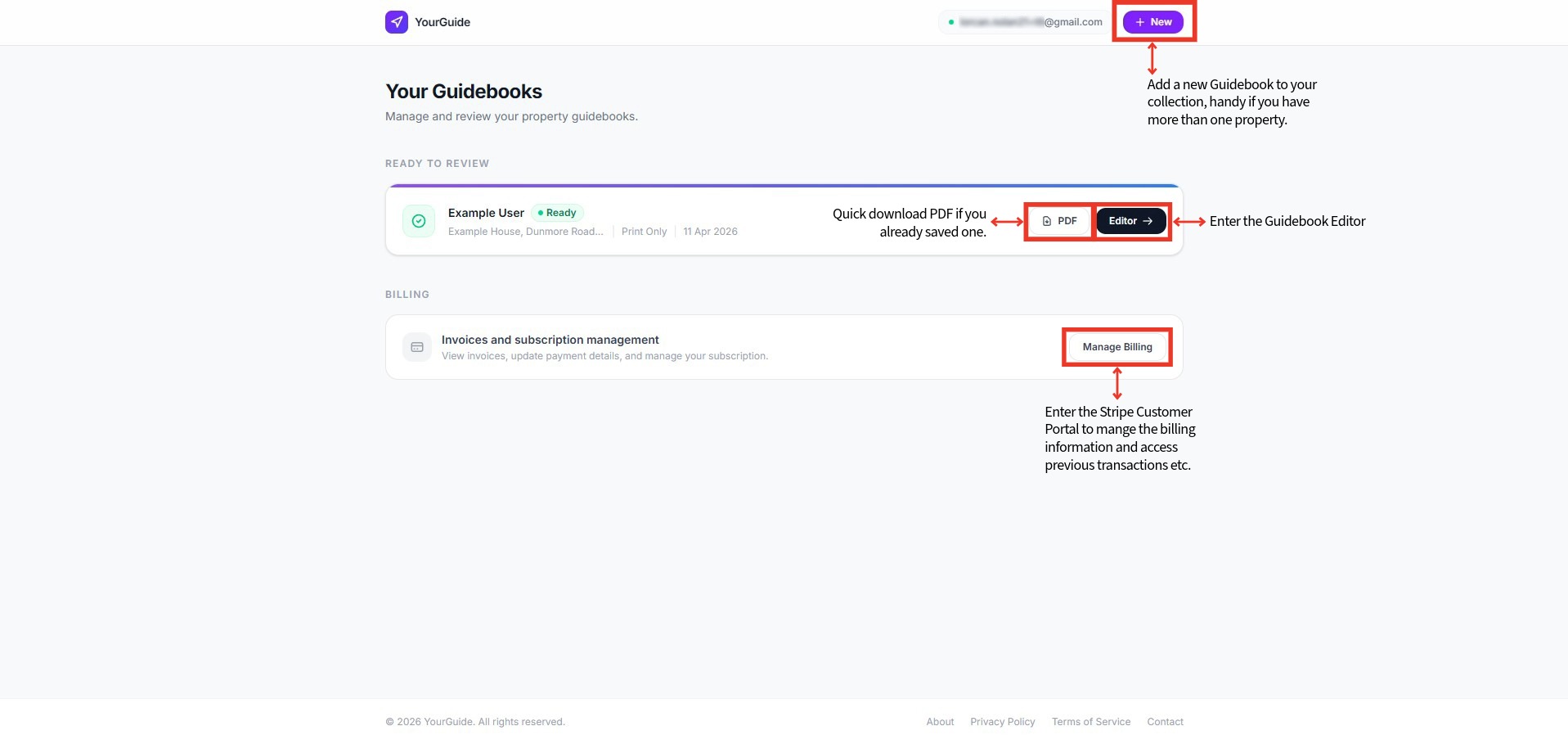
Guidebook states
Each guidebook card communicates its status clearly:
- In Progress means your guidebook is still being prepared.
- Ready means the guidebook is available to review in the editor and export as PDF.
Once a guidebook is ready, the dashboard becomes the fastest place to:
- open the editor
- download the current PDF
- review the property summary and purchase date
Working with the print workspace
The Print tier keeps the workflow deliberately simple:
- Open the guidebook from the dashboard.
- Review or edit the content in the visual editor.
- Generate the updated PDF.
- Download the final A4 export for print.
When to use the dashboard
Use the dashboard when you need a quick operational overview. It is best for:
- seeing whether a newly purchased guidebook is ready
- jumping back into an existing guidebook
- downloading the current version without reopening every setting
If you need to change the content itself, move into the editor.