
Help Center
The Print editor is a visual, page-based workspace that mirrors the final A4 export. What you see in the editor is what you should expect in the generated PDF.
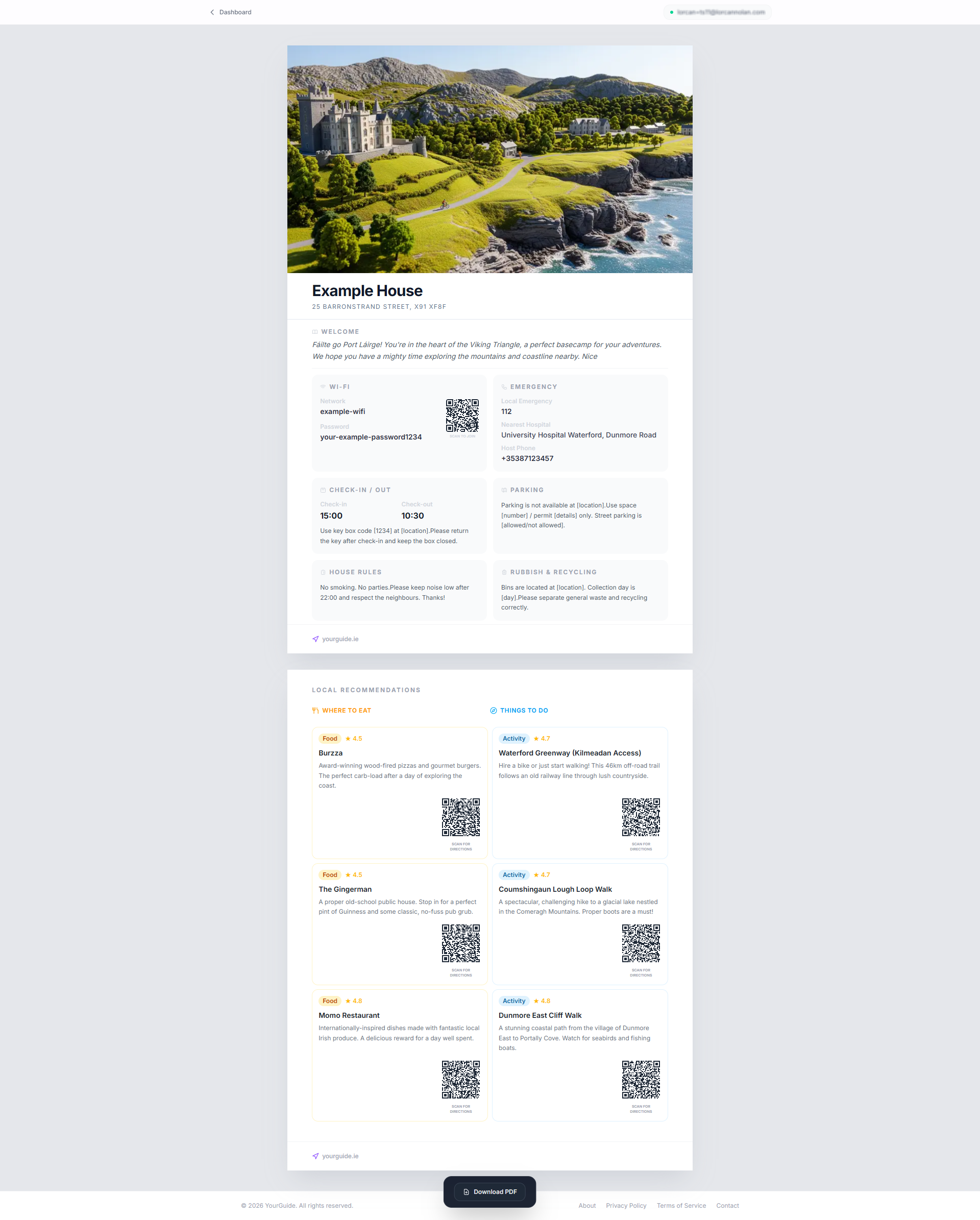
WYSIWYG editing
The editor is built around direct editing. You click into fields and type directly into the layout, rather than filling out a detached form.
This makes it easier to judge spacing, balance, and readability while you work.
Character limits
Character limits are enforced on the editable fields so the printed layout stays clean. As you type, the editor prevents overfilling and preserves the intended design of the final A4 guidebook.
These limits are especially important in:
- Wi-Fi labels
- check-in and check-out fields
- parking and rubbish instructions
- rules summaries
Auto-save and PDF generation
Edits are saved before PDF generation. That means the export process always uses the latest stored version of your guidebook rather than a stale copy.
If a required utility field is blank, the editor highlights the field and scrolls you back to it before allowing the PDF to continue.
The Essentials grid
The Essentials section is the practical core of the guidebook. It is designed to surface the information guests need most often:
- Wi-Fi network and password
- emergency contacts
- check-in and check-out times
- parking instructions
- house rules
- rubbish and recycling guidance
Because this section is used heavily by guests, keeping each item concise usually produces the best printed result.
Print-ready QR codes
YourGuide automatically generates high-resolution QR codes for the print output. These are not decorative. They are built to be practical and easy for guests to scan from paper.
The platform currently uses QR codes for:
- Wi-Fi access - guests can scan the printed code and join the network without manually typing credentials.
- Google Maps directions - guests can scan directional links where relevant and jump straight into navigation on their phone.
These QR codes are generated at print-safe resolution so they stay crisp in the exported PDF and remain reliable when printed on A4.
Checkout and final export
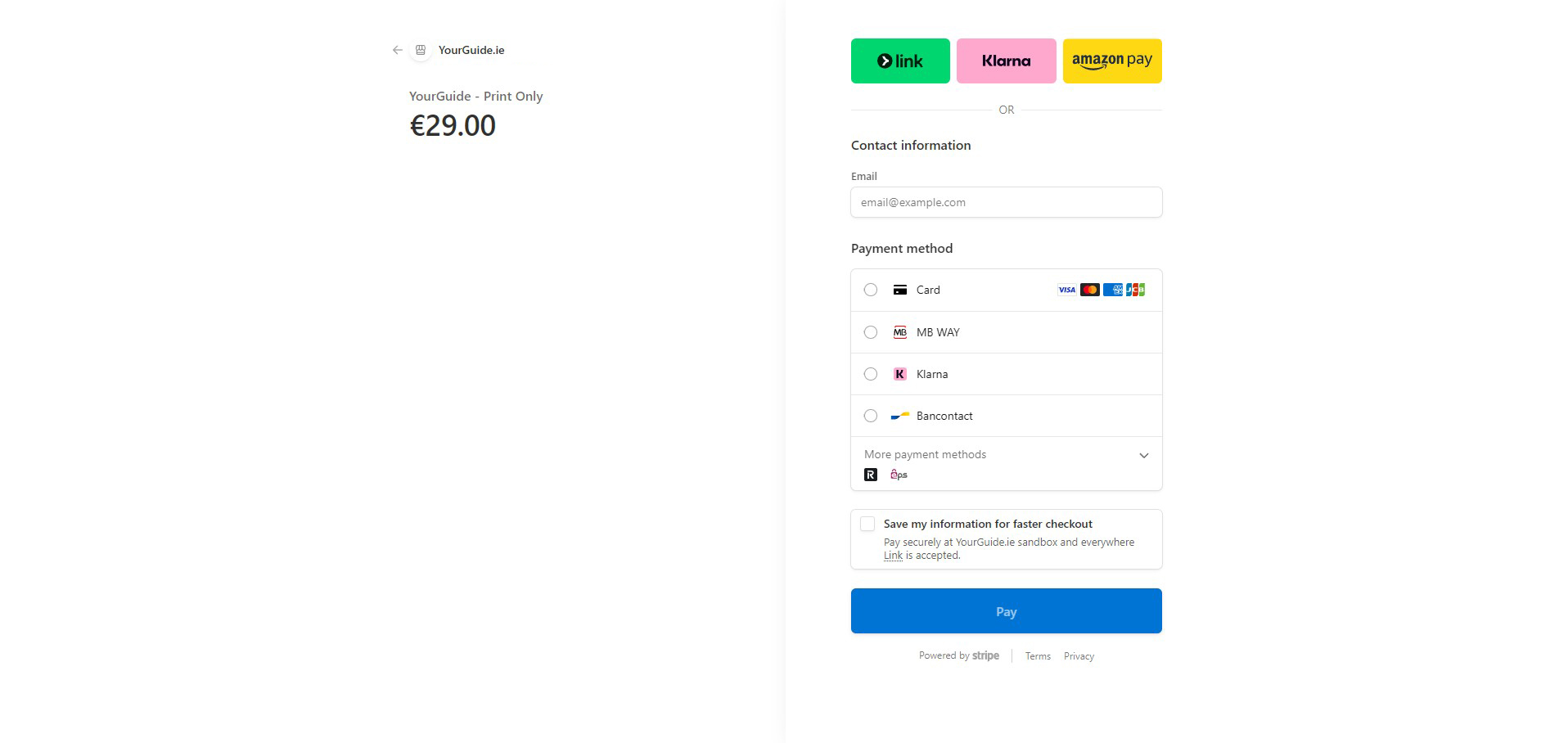
Stripe checkout powers the purchase flow that unlocks the print workspace.
Once your guidebook is complete, generate the PDF and compare it against the sample structure below to understand the final finish and pacing of the printed document.