
Help Center
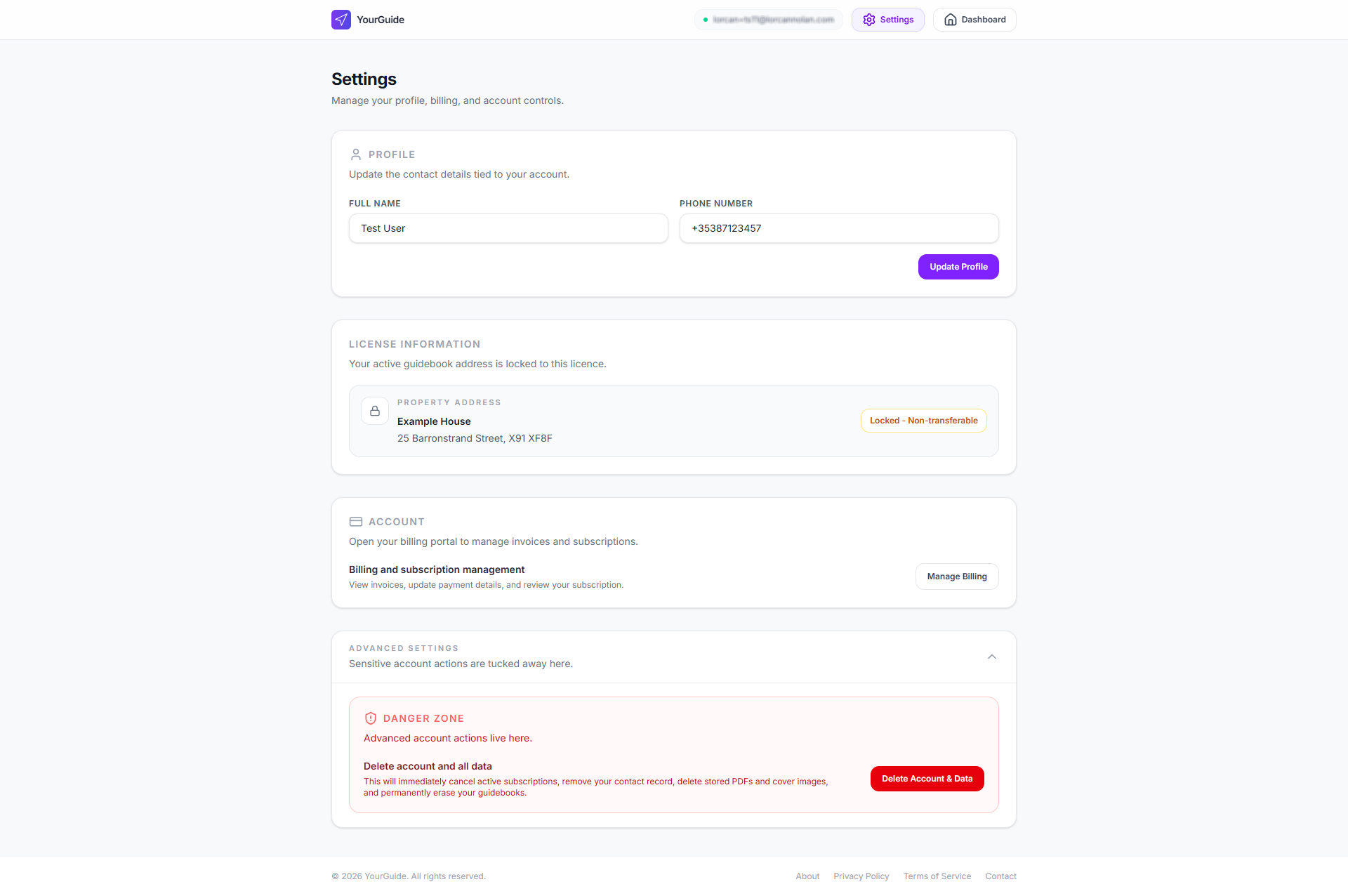
The Settings page centralises account administration so the main dashboard can stay focused on guidebooks. Personal details, billing, and advanced actions all live here.
Personal details
Your Full Name and Phone Number can be updated from the Profile section. When you save, YourGuide updates the account data used across the application and syncs the same details to connected systems used for communication and billing support.
What happens when you save
- Your updated name is split into first name and last name for internal storage.
- Your phone number is stored as the primary contact number tied to your account.
- The same values are synchronised to connected contact systems so billing and support records remain consistent.
Billing management
The Manage Billing action opens the secure Stripe customer portal. From there you can:
- review invoices
- update payment details
- inspect subscription state
- manage Hosted billing without leaving the account area
License information
The License Information panel shows the property address attached to your active guidebook. This address is intentionally read-only because the licence is fixed to that location.
That locked state helps prevent account sharing or reassignment of a guidebook licence to a different property after purchase.
Secure deletion
The Advanced Settings section contains the account deletion flow. It is collapsed by default to reduce accidental interaction.
If you choose to delete your account, YourGuide asks for an explicit acknowledgement before continuing. Once confirmed, the platform:
- cancels active subscriptions
- removes stored PDFs
- deletes property cover images
- removes your marketing contact record
- erases your guidebook data
Because deletion is permanent, it is treated as a high-friction action by design.