
Help Center
The Hosted guest page has two distinct states: a locked state for public discovery and an unlocked state for actual guest access.
Locked state
Before the correct PIN is entered, the guest URL keeps sensitive details out of the rendered page.
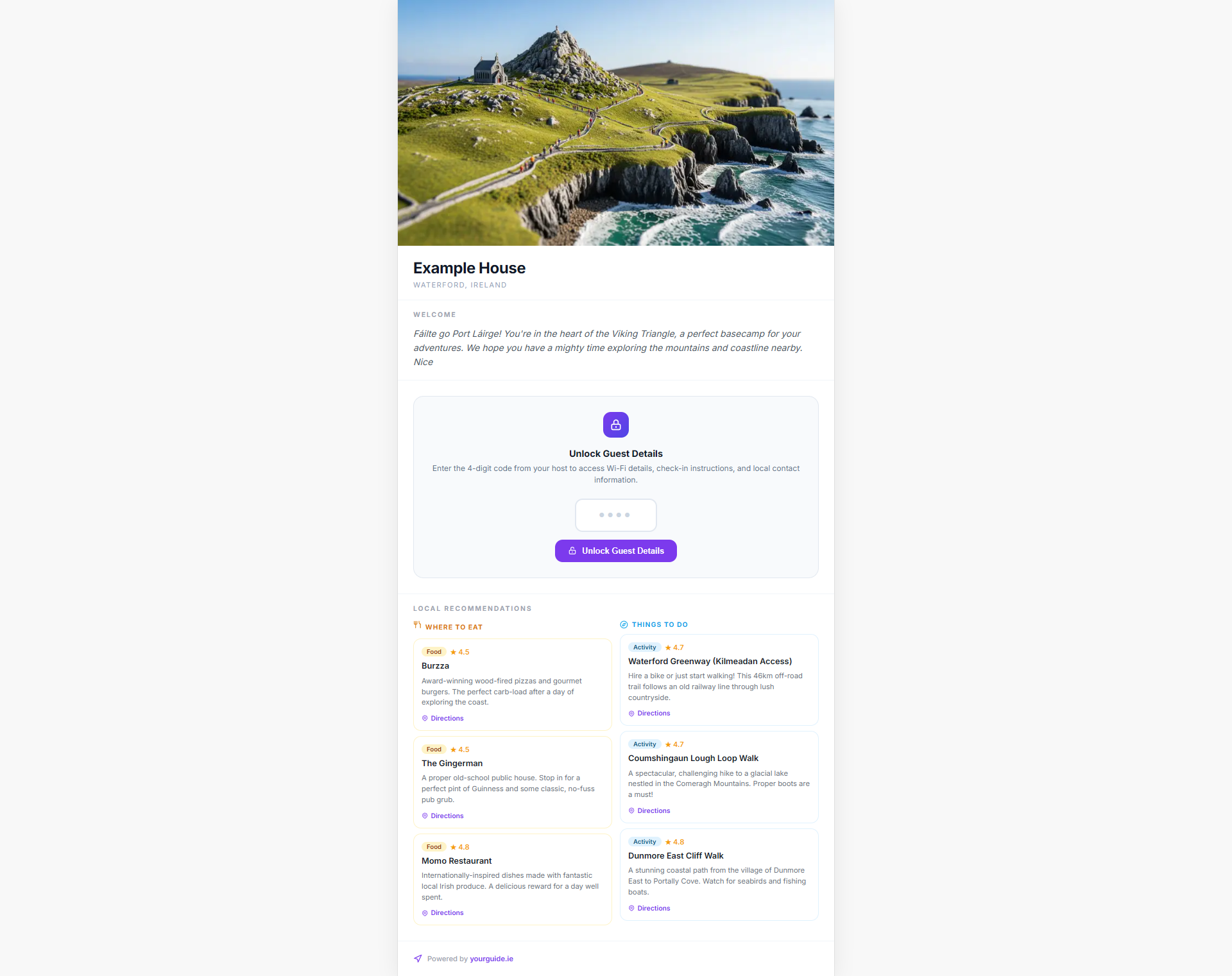
In the locked state, the page can still present high-level, guest-friendly information such as:
- the property name
- the county
- public recommendations and local suggestions
- a welcome message that does not expose sensitive operational data
What stays hidden while locked
To protect privacy and avoid exposing operational details to search engines or casual visitors, the locked state withholds:
- the property address
- Wi-Fi credentials
- check-in instructions
- host phone numbers
- other sensitive property details
This allows the page to remain useful for SEO and pre-arrival browsing while still protecting private access information.
Unlocked state
Once the guest enters the correct 4-digit PIN, the full hosted guidebook becomes available.
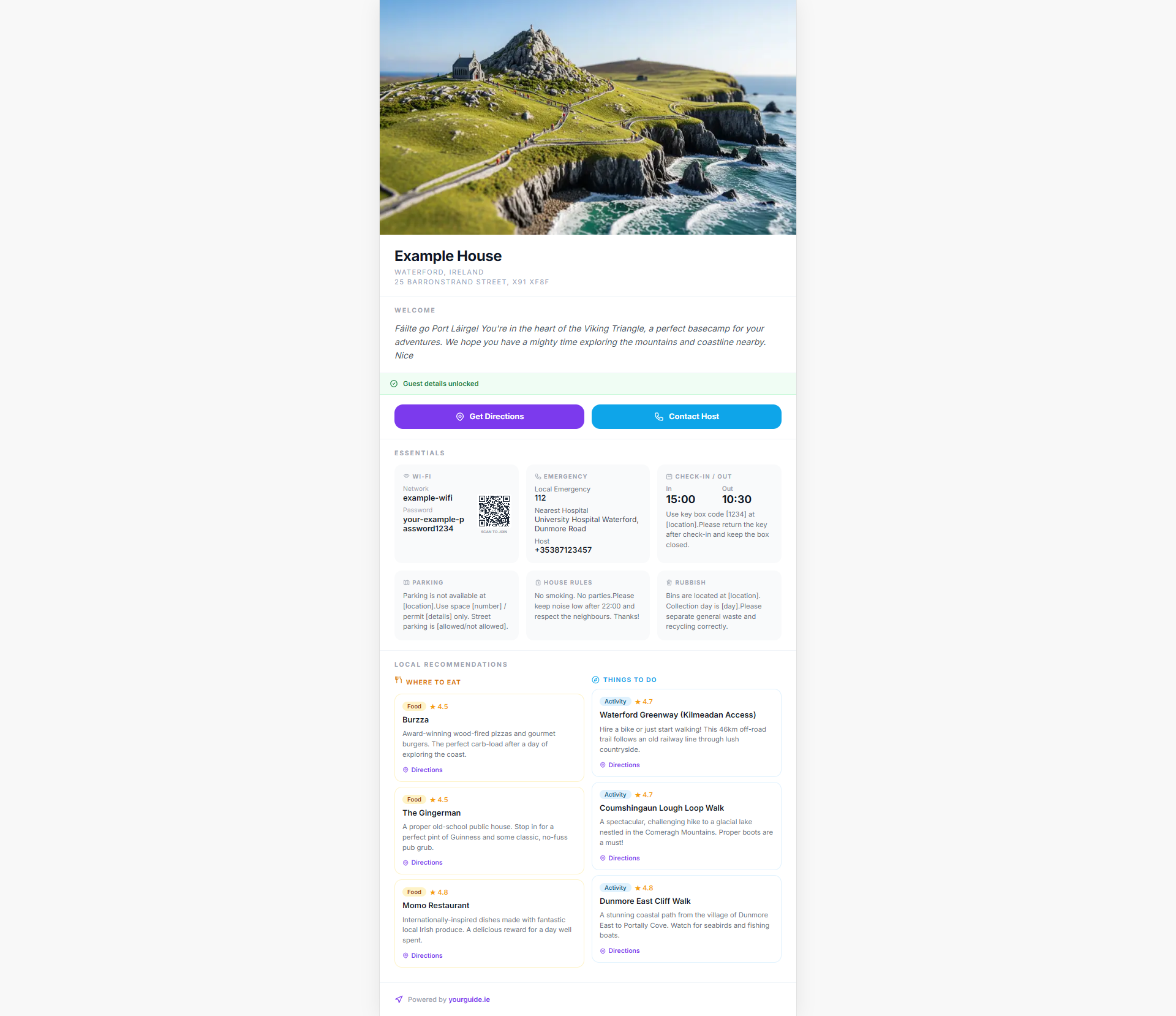
The unlocked experience reveals the practical stay information guests need on arrival, including:
- Wi-Fi details
- check-in and check-out instructions
- parking guidance
- house rules
- rubbish and recycling instructions
- quick actions such as map directions and host contact
How the PIN behaves
The PIN is not just cosmetic. It acts as the gate between public promotional content and the full operational guidebook.
If the host changes the PIN, guests must use the updated value to regain access. This keeps control with the property owner and makes it easier to rotate access between stays.